KeePass and Password Management
How you store your passwords is very important. As part of our ongoing commitment to cybersecurity, we ask you to take steps to ensure you have secure, reliable tools for managing your credentials.
Why use KeePass?
KeePass is a password manager that helps users securely store and manage their passwords. In alignment with the BW Acceptable Use policy on credential management, KeePass gives BW team members a standard method to store their credentials in a secure way, versus simply typing them into unprotected 0365 documents and other tools currently in use.
For anyone who tried KeePass in the distant past, you may remember it as complex and difficult to learn as quickly as you may have wanted. Over the past couple of years, though, this remarkable tool has greatly improved its UI. Today’s KeePass allows a quick and simplified setup with easy instructions.
One final thing! Please note that your KeePass repository is yours alone, and no one else has access to it!
Access Your New Password Database
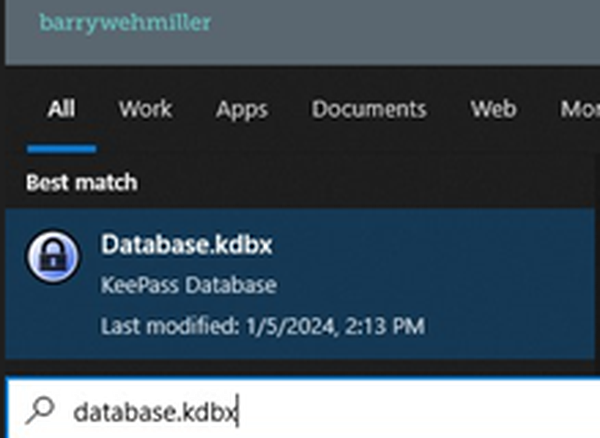
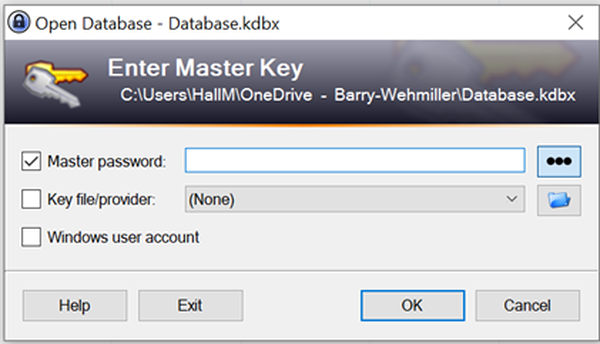
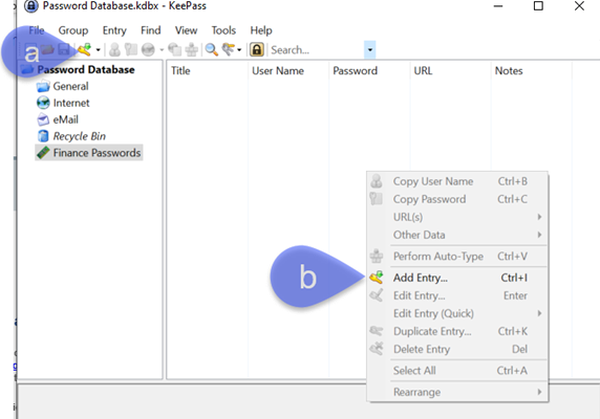
1. The BW Service Desk is delivering KeePass to all BW team members for their use. Once you see that you have KeePass installed, first step in using the newly installed application is to open the preconfigured database on your PC. To find the preconfigured database, type “database.kdbx” into the search bar in your start menu and click on the KeePass data file link that will be shown.