Until resolution is reached, users must respond to the security warning each time it's presented
This email has been sent to all team Barry-Wehmiller and Design Group team members.
Due to the April Microsoft security update that has recently been deployed to systems across the company, users are now getting a security warning when opening Remote Desktop sessions (RDP files).
Our BW IT team is aware of the security warning and they are working on a solution.
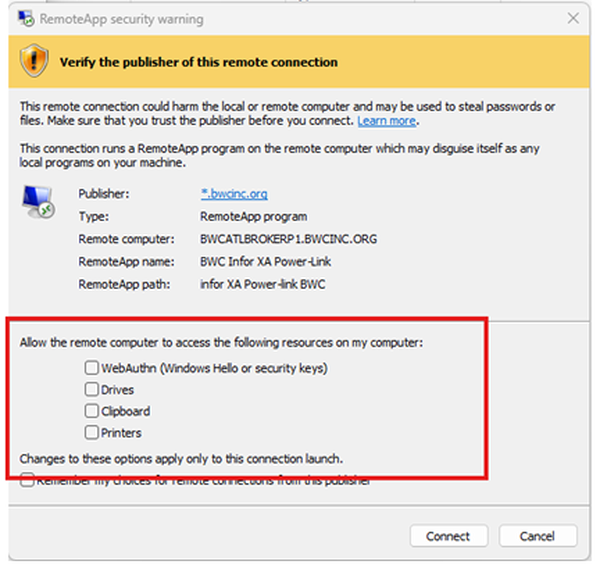
The security warning looks similar to the below.
- Please be aware that access to drives, clipboard, and printers is not enabled by default, and if you get this warning, you must check the options, then click "Connect."
- Note that you do not need to enable the "WebAuthn" option.
- Be aware that even if you select the option to "remember my choices," the selections are not remembered. You will have to re-check and then click "Connect" each time you get this pop-up, until this problem is resolved.